
The CRM Evaluation Scorecard
How manufacturers can compare CRM vendors on workflow fit, ERP integration, and implementation ownership - not demo performance.

Christian Wettre
EVP, GM North America
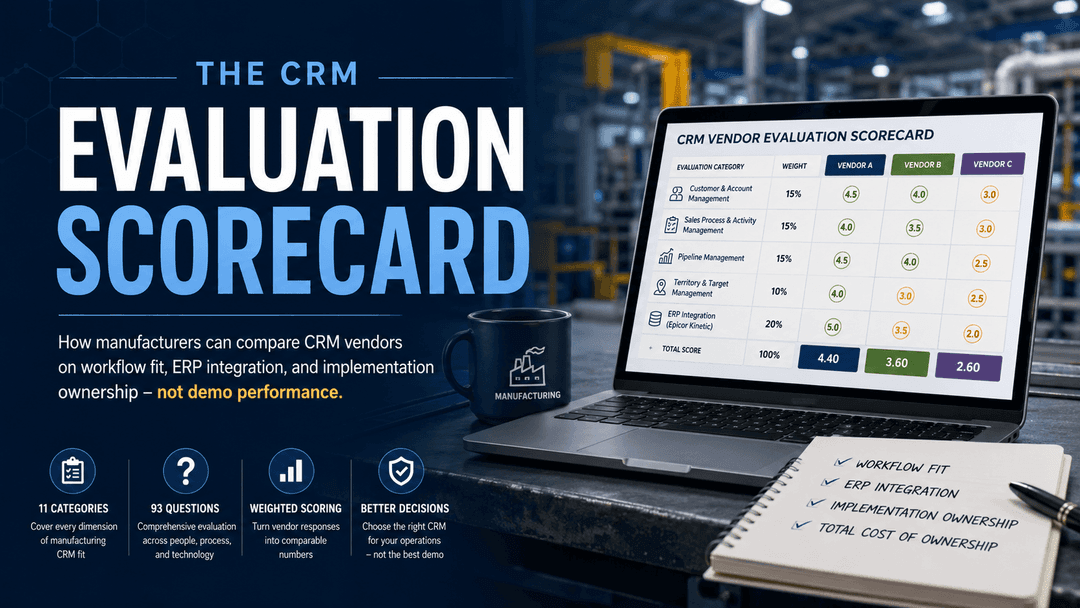
Choosing a CRM is one of the most consequential operational decisions a manufacturer makes. Get it right, and you gain a connected platform that ties sales activity to quoting, forecasting, service, and Epicor Kinetic data. Get it right because you ran a structured evaluation - not because one vendor's demo was more polished than the others.
Vendor demos are a useful starting point. But they are designed to showcase strengths and guide buyers through a best-case path. The burden is on you to compare every platform on the same capabilities, using the same scale, so your shortlist reflects operational fit rather than presentation quality.
This guide gives you a practical method to do exactly that.
What you get from this article:
- The 11 evaluation categories that cover every dimension of manufacturing CRM fit, from account complexity to Epicor integration to implementation ownership
- A weighted scoring method that turns vendor responses into comparable numbers
- 4 sample questions to pressure-test any vendor before your next call
- A path to the free 93-question CRM RFP Template that operationalizes the full method
Why a Structured CRM Evaluation Beats a Demo
A demo gives you a guided tour. A structured evaluation gives you a decision.
When a vendor controls the demo environment, they choose the workflow, the data, and the sequence. Every screen looks clean. Every integration appears seamless. That is the point. As one industry analyst put it: "Instead of asking 'Which CRM is best?', manufacturers get better outcomes by asking 'Which strategic problems must this CRM measurably fix in our value chain?'"
A written evaluation flips that dynamic. You define the questions. Every vendor answers the same set, on the same scale, in writing. The comparison becomes objective because the inputs are identical.
For manufacturers, this matters more than it does in other industries. Your CRM has to support more than a sales pipeline. It needs to handle multi-site account hierarchies, configure-price-quote complexity, territory and channel logic, RMA and service workflows, and live visibility into Epicor Kinetic orders and inventory. A vendor that scores well on pipeline management can still fall short on ERP integration or implementation ownership - and a demo will rarely expose that gap.
| What a Demo Shows | What a Scorecard Reveals |
|---|---|
| Best-case workflow paths | Real capability against your specific requirements |
| Vendor-selected integrations | Whether your Epicor Kinetic integration is pre-built or custom |
| Sales pipeline screens | Quote-to-order complexity, territory logic, and service workflows |
| Feature breadth | Implementation ownership, TCO, and support SLAs |
| A single stakeholder's impression | A shared score that every executive, ops lead, and IT stakeholder can defend |
Forrester's CRM vendor risk research consistently highlights workflow fit, integration depth, and security as the highest-value weighting areas in any vendor evaluation. A structured scorecard puts those categories front and center, where they belong.
The 11 Categories in the CRM Vendor Evaluation Checklist Template
A complete CRM evaluation for manufacturers covers 11 categories and 93 questions. Below is the full category map, with question counts and a one-sentence explanation of what each one tests. This is the structure behind the free 93-question CRM RFP Template.
1. Customer and Account Management (6 questions)
Tests how the CRM models the complexity of your customer base: parent-child account hierarchies, multiple ship-to locations, contact roles, and a unified account timeline that surfaces ERP orders and service cases in one view.
Why it matters: Manufacturers sell to complex org structures, not single buyers. A CRM that flattens complexity creates visibility gaps from day one.
2. Sales Process and Activity Management (9 questions)
Evaluates how reps work day to day: guided selling, native quoting versus a separate CPQ module, email cadences, mobile access with offline capability, and document automation.
Why it matters: Field sales and quoting are where manufacturing CRM adoption succeeds or stalls. If the daily workflow is friction-heavy, reps find workarounds.
3. Pipeline Management (8 questions)
Covers line-item opportunities tied to the ERP catalog, configurable forecasting, multi-level roll-ups, and at-risk deal flags.
Why it matters: Forecasting accuracy depends on pipeline data that reflects real products and real margins - not estimated deal values entered manually.
4. Territory and Target Management (7 questions)
Assesses native target-setting, automated territory assignment, overlapping named-account and regional models, and channel or distributor visibility.
Why it matters: Manufacturers run go-to-market models that generic CRMs flatten. Territory logic that does not reflect your actual structure produces misleading performance data.
5. Marketing and Lead Management (9 questions)
Reviews lead capture, configurable scoring, native marketing automation, account-based marketing, and campaign attribution on a shared platform.
Why it matters: Marketing and sales alignment requires shared data. Two disconnected tools produce two versions of the truth.
6. Customer Service Capabilities (8 questions)
Test case management with SLAs, RMA, and repair workflows across CRM and Epicor Kinetic, full ERP order visibility inside the case, self-service portal, and field service support.
Why it matters: Post-sale service is a manufacturing differentiator and a retention driver. A CRM that cannot surface ERP order history inside a service case creates avoidable delays.
7. ERP Integration with Epicor Kinetic (6 questions)
This is the make-or-break category for any Epicor shop. It covers pre-built, supported integrations, live ERP views without switching apps, writeback to Epicor, part numbers, and customer-specific pricing in quoting, and error handling.
Why it matters: A CRM that requires custom integration work to connect to Epicor Kinetic introduces implementation risk, ongoing maintenance cost, and data latency. Platforms like SugarAI offer pre-built Epicor connectors that surface live pricing, order status, and shipment data directly inside the CRM, without switching applications.
8. Platform Integration and API (6 questions)
Evaluates two-way Outlook and Google sync, cloud storage integration, a documented REST API, predictable rate limits, and iPaaS connectors.
Why it matters: A CRM is only as useful as the systems it connects to. Undocumented or rate-limited APIs create integration ceilings that surface during implementation, not during the demo.
9. AI and Analytics Capabilities (10 questions)
Covers pre-built and self-service reporting, row-level security, predictive lead and close scoring using ERP signals, generative AI assistants, and data-governance commitments.
Why it matters: AI only helps when it acts on connected CRM and ERP data. According to CX Today's 2026 CRM trends research, 70% of manufacturers are now adopting AI in their CRM systems - but the value depends entirely on data quality and ERP connectivity, not AI features alone.
10. Implementation and Cost of Ownership (14 questions)
The largest category for a reason. Covers data migration and cleansing, who owns the Epicor integration setup, transparent licensing, fixed-fee scoping, support SLAs, manufacturing references, and data-portability protections.
Why it matters: Total cost and implementation ownership decide whether the project succeeds. As implementation specialists consistently note, the partner and the solution design are as critical as the product itself.
11. Administration, Security, and Compliance (10 questions)
Tests role-based access, SSO, and MFA, data residency, SOC 2 Type II, and ISO 27001 certification, audit trails, encryption, backup and disaster recovery, and privacy-regulation support.
Why it matters: Manufacturers hold sensitive customer and product data and are accountable for their own compliance obligations. Privacy-first governance is no longer optional - it is a baseline expectation in 2026.
How to Score Vendor Responses
Once you have written responses from every vendor, the scoring method turns qualitative answers into comparable numbers. Here is how it works.
Step 1: Capture the Response Type
For each question, the vendor selects one of six response types and flags any additional cost:
- Standard - works out of the box, no configuration required
- No-code configuration - available through settings or admin tools
- Add-on option - available at extra cost
- With-code customization - requires development work
- Planned in a future release - not available today
- Not supported - outside the platform's current capability
This forces clarity. "We can do that" becomes a specific, documented answer with a cost flag attached.
Step 2: Apply the Weighted Score
Rate the importance of each capability to your business on a scale of 1 to 5. Then rate the vendor's response on the same scale. Multiply the two numbers.
Importance (1-5) x Response Score (1-5) = Weighted Score
A must-have capability rated 5 for importance, answered with a strong native response rated 4, scores 20. A nice-to-have rated 2 for importance, answered with a customization requirement rated 2, scores 4. The weight reflects your business, not the vendor's feature list.
Step 3: Roll Up by Category
Weighted scores aggregate by category, giving you a capability profile for each vendor across all 11 dimensions.
| Category (Illustrative) | Vendor A | Vendor B |
|---|---|---|
| ERP Integration with Epicor Kinetic | 87 | 52 |
| Implementation and Cost of Ownership | 74 | 68 |
| Pipeline Management | 71 | 79 |
This is where the scorecard earns its value. A vendor can excel at pipeline management and still fall short in ERP integration or implementation ownership. The category roll-up makes that visible before you commit to a shortlist - not after you have signed a contract.
Izeno's CRM evaluation research reinforces this approach: weighted scoring matrices are the most practical method for comparing vendors consistently across a cross-functional buying team.
Sample Questions to Pressure-Test Any Vendor
The full 93-question workbook is the complete tool. But here are 4 questions drawn from the highest-stakes categories - concrete enough to use in your next vendor call.
ERP Integration with Epicor Kinetic: Does the integration surface live Epicor views - including pricing history, order status, and shipment status - without requiring reps to switch between CRM and ERP?
Pipeline Management: Does the system support opportunity line items that pull product and SKU details directly from the Epicor catalog, including quantity, price, discount, and automatic roll-up to the total opportunity value?
Implementation and Cost of Ownership: Does the vendor or implementation partner take full ownership of the Epicor Kinetic integration during implementation, including configuration, testing, and documentation?
AI and Analytics Capabilities: Does the system score open opportunities using a combination of demographic, behavioral, and ERP signals - or does it rely on CRM activity data alone?
These four questions alone will surface meaningful differences between vendors. The answers you get back will tell you whether a platform is built for manufacturing reality or built for a generic sales team.
Get the full workbook: The free 93-question CRM RFP Template includes all 11 categories, the vendor-response framework, and the weighted scoring workbook in an editable format. Free to download. No sales pitch attached.
Put the Scorecard to Work
The method is straightforward. The discipline is in applying it consistently across every vendor on your shortlist.
- Define your must-have categories. Start with ERP Integration with Epicor Kinetic, Implementation, and Cost of Ownership. These two categories carry the highest risk and the most hidden cost. Weigh them accordingly before you send anything to vendors.
- Send the same question set to every vendor. No exceptions. The moment you let one vendor answer different questions than another, the comparison breaks down. Written responses, not verbal assurances.
- Score and compare on one scale. Use the weighted matrix to roll up scores by category. Look at where vendors diverge, not just where they perform well. A strong overall score that masks a weak ERP integration score is a risk, not a win.
This is the process we run on real Epicor CRM selection projects at TCP. It works because it removes the home-field advantage from the vendor and puts the decision criteria back in your hands.
If you want the complete tool, the free 93-question CRM RFP Template includes all 11 categories, the response framework, and the weighted scoring workbook in an editable format.
And if you want a guided evaluation built around your Epicor environment and your team's specific requirements, talk to TCP about a CRM readiness assessment. We work with manufacturers across the Americas on exactly this kind of selection project.
Frequently Asked Questions
Rate each requirement by importance (1 to 5), rate the vendor's response (1 to 5), and multiply. Roll up weighted scores by category to build a capability profile for each vendor. This method surfaces gaps that a demo or a feature comparison spreadsheet will not.
Manufacturing CRM requirements include capabilities that generic evaluations ignore: ERP integration depth, RMA and service workflows, territory and channel complexity, CPQ support, and multi-site account structures. A generic checklist built for SaaS or financial services will miss the categories that determine whether a CRM succeeds in a manufacturing environment.
A thorough manufacturing CRM RFP should cover at least 11 evaluation categories. TCP's 93-question template covers every dimension from account management and pipeline to ERP integration, AI analytics, implementation ownership, and security compliance. The number matters less than the coverage - every category that affects manufacturing fit should have dedicated questions.
For Epicor Kinetic users, ERP integration is the make-or-break category. A CRM without a pre-built, supported Epicor integration requires custom development, introduces data latency, and adds ongoing maintenance costs. Live visibility into orders, pricing, and inventory inside the CRM is a baseline requirement, not a premium feature.
Send the same written question set to every shortlisted vendor and require written responses. Apply a weighted scoring matrix that rates each capability based on its importance to your business, then multiply it by the vendor's response score. Category roll-ups reveal where each vendor is strong and where they fall short, across all dimensions at once.
A CRM vendor evaluation checklist is a structured set of questions that covers every capability dimension relevant to your business - from workflow fit and ERP integration to implementation ownership and security. It gives every vendor the same questions on the same scale, so you can compare responses objectively rather than relying on demo impressions.
A demo is vendor-led and showcases best-case scenarios. A structured evaluation is buyer-led and requires every vendor to address the same set of requirements in writing. Demos are useful for understanding a platform's interface and general direction. Evaluations are what you need to make a defensible shortlist decision.
Manufacturers should prioritize CRM platforms that support account hierarchy complexity, configure-price-quote workflows, multi-stage pipeline management, and deep ERP integration. As our Manufacturing CRM in 2026 guide outlines, CRM in manufacturing is an operations coordination layer - not just a sales database.


