
SugarAISugar Sell
Sugar Sell CRM for manufacturers
Workflows
Service every account the way your best rep does
Customers stay for decades and reps for careers, so Sugar Sell keeps the whole account history in one place.
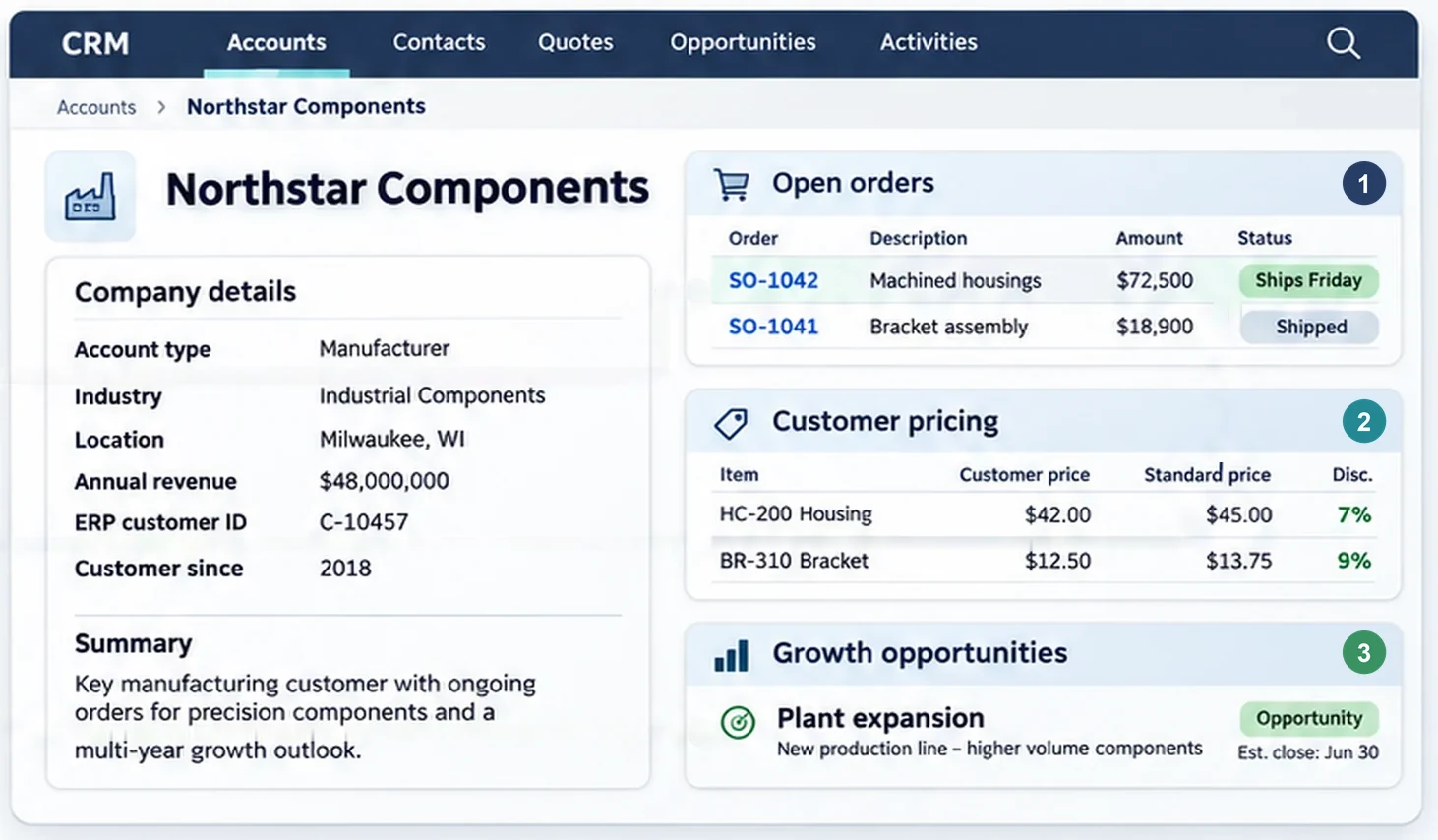
Open an account to see what is on order, shipments and prices that need attention, and where it can grow, with the numbers read from your ERP.
Walk into every meeting prepared
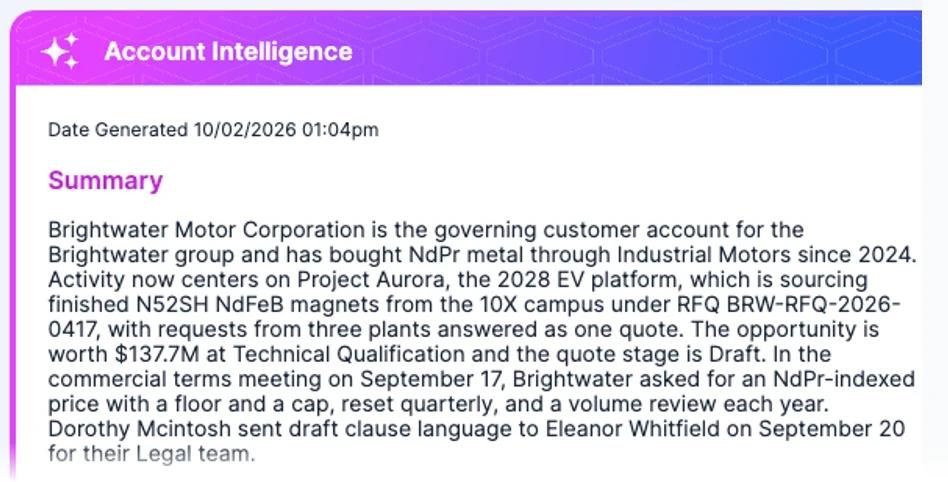
Before a call, the rep opens the account and reads one summary: what the customer bought this year, open service issues, how the last conversations went, and suggested next steps.
The decision it helps: which issue to raise first, and what to offer next.
Quote from the prices your ERP holds
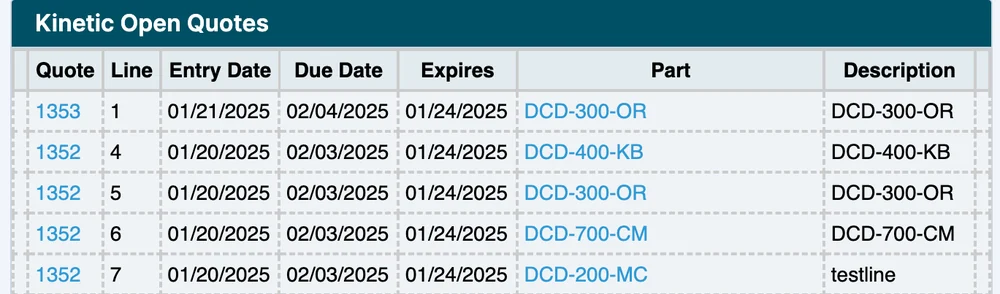
Parts and customer price lists come from Epicor Kinetic. The rep builds the quote in Sugar, it goes through your approval steps, and the quote is written back to Kinetic.
The decision it helps: what to quote, at a price finance will stand behind.
Find the next order in accounts you already have
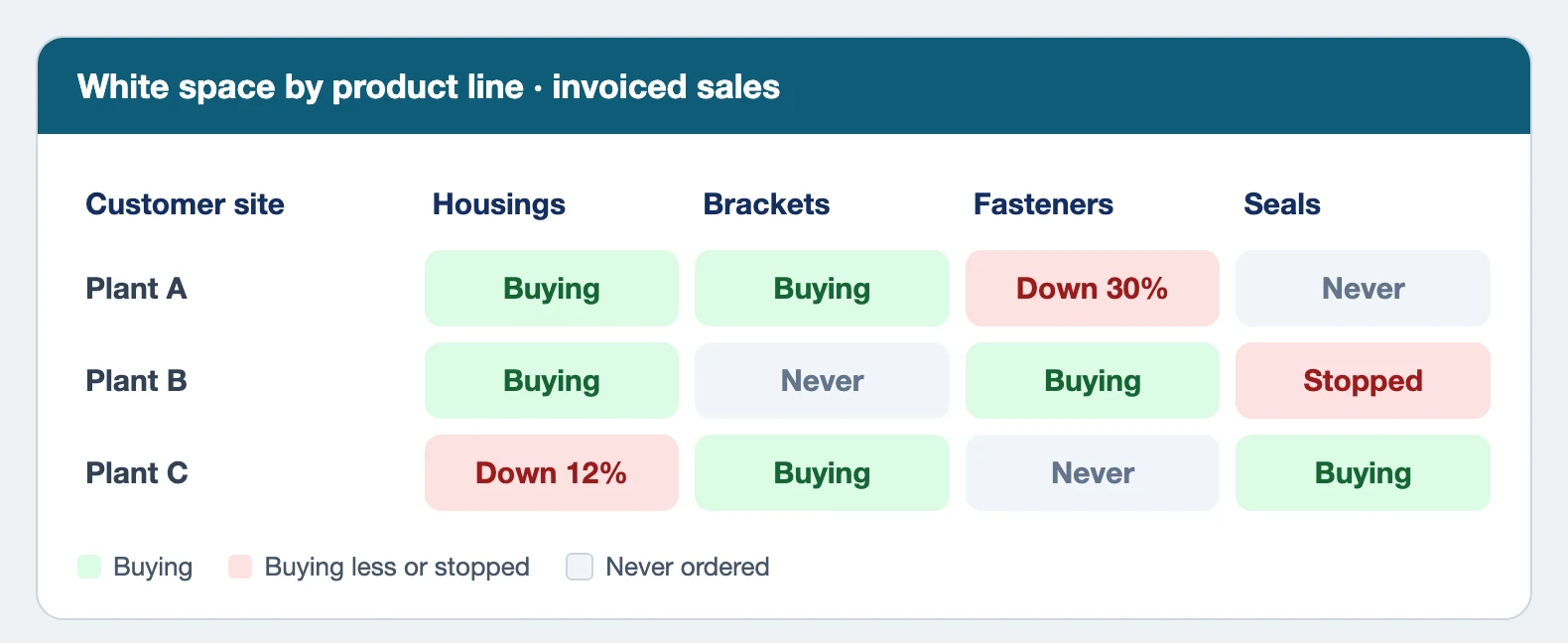
Invoiced sales from the ERP show which customers stopped buying a product line, which bought less this year, and which sites have never ordered it.
The decision it helps: which customer to call this week, and about which product line.
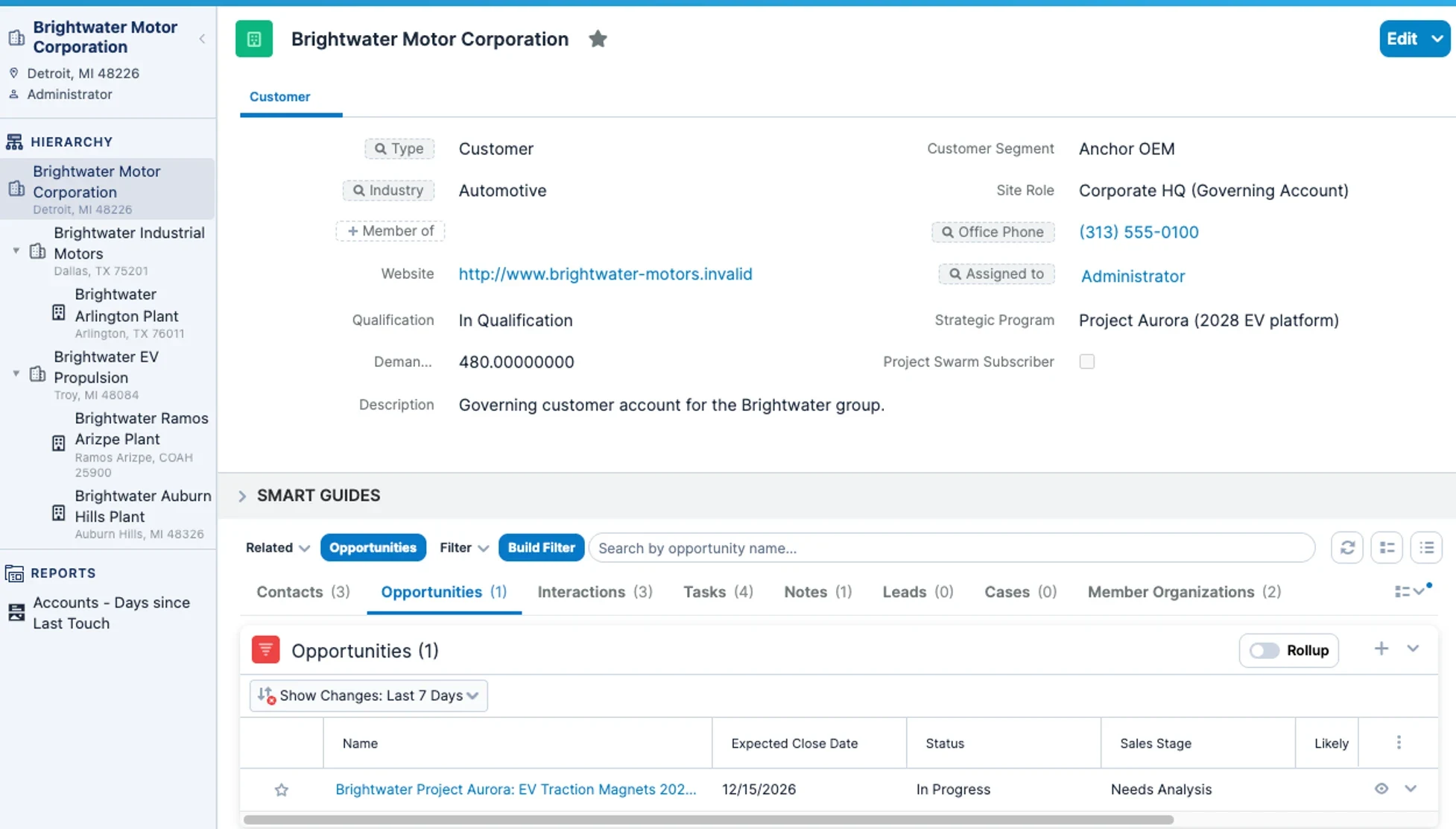
See every site of a customer in one place
A customer with a head office and six plants can mean seven separate accounts. Account Explorer links them into one hierarchy and rolls up the opportunities, meetings, cases and contacts of every site onto the parent account.
The decision it helps: where the group is growing, and which site needs a visit.
See these workflows in 30 minutes
A Sugar consultant walks through them on sample data, with your ERP in mind.
Integration
Work from ERP data without leaving Sugar
For Epicor Kinetic, Fluent is TCP's prebuilt connection. It shows live Kinetic views on the Sugar account, and it keeps the core records in step both ways, on a schedule you set.
Quote to order, without keying it twice
The rep stays in Sugar. Kinetic prices, schedules and ships.
Sugar Sell
Opportunity moves to quoting
Epicor Kinetic
Quote created in Kinetic
Epicor Kinetic
Quote ready
Sugar Sell
Opportunity shows the Kinetic quote
Sugar Sell
Opportunity marked won
Epicor Kinetic
Sales order created
Epicor Kinetic
Order ships and is invoiced
Sugar Sell
Rep sees order status and invoices
- Configured, not codedConnection and field mapping are set in the Fluent portal
- Cloud or on-premise KineticEpicor 10.2.500 or newer
- Several Kinetic companiesOne Sugar instance connects to all of them
We have also connected Sugar to Epicor Prophet 21, Infor, SAP Business One, Sage Intacct and Xero. Those are scoped as a TCP project, built around how each ERP handles orders, pricing and invoicing. More on CRM, ERP and AI integration.
Customers
See what manufacturers got from Sugar and TCP

Megaplast
150%
increase in quote volume
A technical textiles maker moved quoting out of Excel and into Sugar, connected to its ERP, and now handles 500+ quotes a month.
Read the case studyNucleus Research named SugarAI a Leader in its SFA Technology Value Matrix 2026, which rates sales force automation software on usability and functionality.
Read the report (PDF)Cost and timing
Plan the budget and timeline before you start
Every project is quoted at a fixed price after discovery, so the number is known before work starts. Most projects take one of three shapes.
Focused rollout
One sales team, data from spreadsheets, Epicor Kinetic through Fluent.
What moves the time and cost
How many users, and how far your sales process differs from Sugar's standard setup
Replace a CRM
Moving from Salesforce, Dynamics or GoldMine, one ERP.
What moves the time and cost
How much history migrates, how clean it is, and which custom features need rebuilding
Multi-site
Several plants or countries, two languages, possibly an ERP other than Kinetic.
What moves the time and cost
Number of sites and languages, and how many ERP companies connect
From kickoff to go-live
- Step 1DiscoverWritten scope and quote
- Step 2ConfigureYour sales process and teams
- Step 3ConnectERP data into Sugar
- Step 4Migrate and trainMapped, reconciled, checked
- Step 5Go liveThen support and upgrades
Resources
Evaluate Sugar on your own time
30-minute recording
Sugar for Epicor Kinetic users
Sugar Sell shown to a sales team that runs Epicor Kinetic.
Watch the recordingGuide
CRM requirements for manufacturing
What to define before vendor demos shape the conversation.
Read the guideTemplate
The CRM RFP template for manufacturers
A ready-to-use RFP you can send to vendors.
Get the templateQuestions buyers ask us
See Sugar Sell with your ERP in mind
A 30-minute demo on sample data with a Sugar consultant who knows how your ERP works.