
CRM for Distributors: How to Choose When You Already Run an ERP
Three options, what each must show a rep, and how to decide.

Christian Wettre
EVP, GM North America
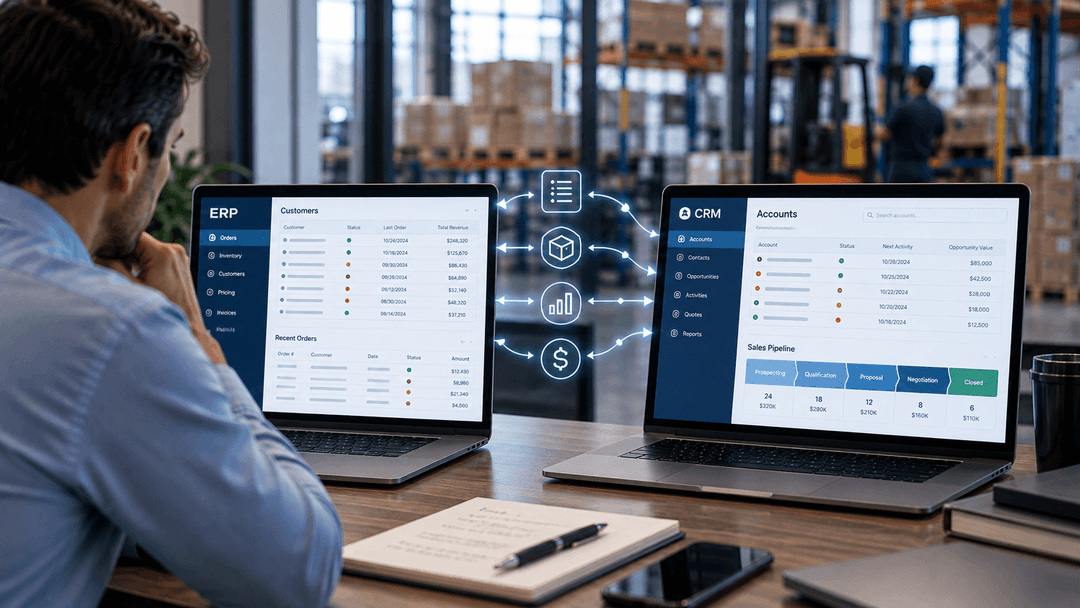
Your ERP already knows your customers. It holds their order history, their pricing tiers, their credit status, and every invoice going back years. So when someone in your organization asks whether you need a CRM for distributors, the honest first answer is: you already have one. The real question is whether it is the right one for the way your sales team actually works.
That distinction matters for distributors. Distribution sales runs on relationships, timing, and account intelligence: who reordered last month, what they did not buy that they probably should, which accounts have gone quiet. Some of that lives in your ERP. A lot of it does not. And the gap between what your ERP tracks and what your reps need before a call is exactly where the CRM decision gets made.
This article does not argue for or against adding a CRM. It maps the three architectures available to a distributor who already runs an ERP, explains where each one stops, and gives you the questions to settle before you sit through a single vendor demo.
CRM for Distributors Starts With the ERP You Already Run
Before comparing options, it helps to be clear about what the ERP already provides. Mid-size distributors running a modern ERP have more customer-relationship infrastructure than they realize, and some have less than their ERP vendor's marketing suggests.
What your ERP actually holds
A distribution ERP stores the customer master record: legal name, ship-to and bill-to addresses, contacts, payment terms, pricing agreements, and transaction history. That is the operational spine of the customer relationship. Everything that happens after a purchase order is issued runs through it.
What distribution ERPs do not hold is the work that happens before the purchase order. The call where a rep learned the customer is evaluating a competitor. The follow-up email that never got logged. The note about the operations manager's concern over lead times. The opportunity that has been in discussion but has not generated a single transaction yet.
That pre-order layer is where CRM systems are designed to operate. And it is where the three options diverge.
The starting point is your ERP's own CRM module
Some ERPs include a CRM module or customer management layer as part of the base application. Others offer it as an add-on. Some are designed primarily as financial or operational systems with minimal pre-order relationship management built in.
The relevant question is not whether your ERP has a CRM tab. It is whether that module supports the specific workflows your sales and operations teams depend on. That assessment comes before any conversation with an outside vendor.
For a detailed look at how to run that assessment on your current ERP, including a six-question test, see Should You Use the CRM That Came With Your ERP?
The Three Options: The ERP's CRM, a Distribution CRM, or a Connected CRM
Once you have assessed your ERP's native capability, three architectures are available. Each one has a different relationship to the ERP you already run, and each one serves a different kind of sales operation.
Option 1: The ERP's own CRM module
You keep everything in the ERP. The customer record, the transaction history, the contact information, and whatever pipeline or activity tracking the ERP module provides all live in the same system.
This is the right answer when your sales motion is primarily order management and account maintenance rather than active prospecting, and when the ERP's module genuinely covers the workflows your team depends on. It eliminates synchronization overhead, keeps the customer master in one place, and avoids the cost of a second platform.
The risk is mistaking availability for adequacy. An ERP that has a CRM tab is not the same as an ERP whose CRM module handles territory planning, structured pipeline management, and field-accessible activity logging. Before concluding that Option 1 is sufficient, confirm that it is actually in use, not that it exists.
Option 2: A distribution-specific CRM connected to the ERP
Some CRM platforms are built specifically for wholesale distribution. They connect to the ERP and pull transaction data (orders, invoices, pricing history, reorder signals) into a sales workspace designed around distributor workflows. The ERP stays the system of record for everything operational. The CRM becomes the system of record for the pre-order relationship layer.
The distinguishing feature of a distribution-specific CRM is that the ERP connection is built into the product rather than configured from scratch. Vendors in this category describe their platforms as purpose-built for the way distributors sell: identifying which accounts are at risk of defection, which are candidates for additional product lines, and which have buying patterns that signal an upcoming need.
The trade-off is scope. A distribution-specific CRM is optimized for distributor workflows. If your sales motion also includes significant marketing automation, complex multi-channel campaign management, or service case management, you may find the platform's coverage stops at the sales layer.
Option 3: A general CRM connected to the ERP
General-purpose CRM platforms, including SugarAI, Salesforce, Microsoft Dynamics 365, and HubSpot, are not built specifically for distribution, but they are designed to connect to ERPs and can be configured to support distributor workflows. SugarAI, for example, describes connectors to distribution ERP platforms as part of its product positioning. That is SugarAI's own claim about its integration capability; the depth and configuration of any specific connection depends on implementation.
The case for a general CRM is breadth. These platforms cover the full commercial stack: pipeline management, activity tracking, marketing automation, service case management, and reporting across the customer lifecycle. For a distributor whose sales operation also involves marketing campaigns, service contracts, or a complex channel structure, a general CRM may cover more of the workflow in a single platform. The trade-off is configuration. A general CRM requires more setup to behave like a distribution sales workspace than a platform designed for that use case from the start. The ERP connection also requires implementation work, and the depth of that connection varies by platform and by the ERP you are running.
The short version:
| Option | ERP relationship | Best fit |
|---|---|---|
| ERP's own CRM | Single system, no integration | Primarily order-driven sales, small teams |
| Distribution-specific CRM | Connected, pre-built for distribution | Active account development, distributor-specific workflows |
| General CRM | Connected, configured for distribution | Broader commercial stack, marketing and service included |
What a Distributor CRM Must Show a Rep Before the Call
The test of any CRM option is not what it stores. It is what a rep can see just before a customer call. In distribution, that window is where the difference between a productive conversation and a wasted one gets made.
A rep who walks into a call knowing only the customer's name and a vague sense of their last order is operating on instinct. A rep who walks in knowing what the customer bought last quarter, what they did not buy that they probably should, whether a recent order was short-shipped, and whether there is an open service issue is having a different conversation entirely.
The account intelligence a distributor rep needs
Before a call, a rep in a distribution environment needs to see:
- Recent order activity. What did this account buy recently? Is the volume trending up or down compared to the same period last year?
- Open quotes and pending decisions. Are there quotes outstanding that have not converted? How long have they been sitting? Who on the customer side was involved?
- Pricing and contract status. Is this account on a special pricing agreement? Is that agreement approaching its renewal date?
- Service and fulfillment history. Were there recent short shipments, backorders, or complaints? Is there an open service case that the rep should acknowledge before asking for the next order?
- Relationship history. What was said in the last call? What did the rep commit to following up on? Who else in the customer's organization has been in contact?
- White space. What product lines does this account buy from competitors that they have not yet bought from you? See White Space Analysis for Manufacturers and Distributors for how to structure that analysis.
Not all of that information lives in the CRM. The order history, pricing agreements, fulfillment status, and service cases live in the ERP. The call notes, open quotes, relationship history, and white-space analysis are CRM territory. The question is whether those two sources are connected in a way the rep can actually use before a call, or whether they require logging into two systems, running two separate searches, and mentally assembling the picture themselves.
What a rep sees in Sugar Sell connected to Epicor Kinetic
When Sugar Sell is connected to Epicor Kinetic, reps see the following without leaving the CRM:
- Open sales orders and order history from Epicor
- Shipment tracking and delivery status
- Real-time pricing and inventory availability
- Credit holds and AR balances
- Product catalogs synced from the ERP
- Customer-specific pricing tiers
- Offline mobile app access for reps in plants, warehouses, or job sites without reliable connectivity
These apply when Sugar Sell is connected to Kinetic. The depth of the connection for other ERP platforms depends on implementation.
Talk to TCP about a CRM for your distribution business
What happens when the picture is incomplete
When reps cannot see the full account picture before a call, they compensate. They call the inside team to check on an order status. They skip the white-space conversation because they do not have the data to support it. They ask the customer questions the customer expects them to already know the answers to. And they leave calls without logging notes because there is no convenient place to put them.
None of those behaviors are a failure of the sales team. They are a predictable response to an information environment that does not support the work. The right CRM option for a distributor is the one that closes that gap: not the one with the most features, but the one that puts the right account picture in front of a rep before the call starts.
Where Each Option Stops for a Distributor
Every CRM option has a boundary. Understanding where each one stops is more useful than comparing feature lists, because the boundary is where your team will hit friction, and where you will be tempted to build workarounds that create their own costs.
Where the ERP's CRM stops
The ERP's CRM module is built around the transaction. It knows what was ordered, invoiced, and shipped. The workflows it does not support well are the ones that happen in the space between transactions: territory planning, structured opportunity management, activity logging for calls and emails, and the kind of account intelligence that requires comparing what a customer bought against what similar customers buy.
A second constraint is the interface. ERP systems are designed for operational users: people who process orders, manage inventory, and run production. The interface reflects that. A field sales rep on a phone between customer visits, trying to log a call note or check an open quote, is using a system that was not designed for that moment. The result is that the activity does not get logged.
The ERP's CRM also tends to stop at the customer you already have. Prospect management, tracking potential accounts that have not yet placed an order, is not a strength of ERP customer modules. For distributors with active new-account development, that gap is significant.
Where a distribution-specific CRM stops
A distribution-specific CRM is designed for the workflows above. It handles territory planning, account scoring, reorder signals, and the kind of ERP-connected account view that puts order history and relationship history in the same workspace. For a distributor whose sales motion is primarily account maintenance and growth, it covers a lot of ground well.
Where it tends to stop is outside the sales layer. Marketing automation, email campaigns, lead nurturing, event management, is limited or requires an add-on. Service case management, if your operation includes a customer service function that handles complaints, returns, and warranty claims, may not be a strength. And if your sales team also needs to manage relationships with dealer networks, rep agencies, or other channel partners rather than direct end customers, the account hierarchy models in distribution-specific CRMs may not reflect your actual structure.
The other boundary is ERP coverage. A distribution-specific CRM with pre-built connectors to the ERP platforms it was designed for will work well with those platforms. If your ERP is not in that list, or if you are running a version or configuration that the pre-built connector does not fully support, the integration depth that is the platform's main selling point may not materialize without additional work.
Where a general CRM stops
A general CRM's boundary is the opposite of a distribution-specific one. It covers more of the commercial stack (marketing, service, and sales in a single platform), but it requires more configuration to behave like a distribution sales workspace. Out of the box, it does not know what a reorder signal looks like, how to score an account by purchase pattern, or how to surface the right ERP data in the context of a pre-call review.
That configuration work is real. It takes time, requires people who understand both the CRM and your distribution workflows, and needs to be maintained when either the CRM or the ERP changes. For organizations that have the operational bandwidth to do that work well, a general CRM can cover more ground than a distribution-specific one. For organizations that want a faster path to a working sales workspace, the configuration overhead is a genuine cost.
The ERP connection in a general CRM also requires implementation work. The depth of what is available depends on the specific CRM platform, the specific ERP, and the implementation approach. Treat any vendor's claim about integration depth as a starting point for a detailed technical conversation, not a final answer.
Where each option hits its boundary:
| Option | Stops at |
|---|---|
| ERP's own CRM | Pre-order workflows, field use, prospect management |
| Distribution-specific CRM | Marketing automation, service management, non-standard ERP configurations |
| General CRM | Out-of-box distribution fit, configuration overhead, ERP connection depth |
What Has to Move Between the CRM and the ERP
The integration between a CRM and an ERP is not a technical detail to resolve after the vendor is chosen. It is one of the primary decision criteria, because the data that moves between the two systems determines whether the CRM is useful or just another place to enter information.
For distributors, the ERP holds the authoritative record for what a rep needs to see. The CRM holds the authoritative record for the relationship layer. The integration is what makes those two records feel like one account.
What flows from the ERP to the CRM
The ERP-to-CRM direction is where account intelligence gets built. A rep opening an account record in the CRM should be able to see, without switching systems: customer master data, order history, pricing and contract terms, fulfillment and service status, and accounts receivable standing. Each of those fields has an owner. Data moves two-way for account records and one-way for the rest. A master is set for each field before go-live, and conflicts are flagged, not silently overwritten.
What flows from the CRM to the ERP
The CRM-to-ERP direction covers three decisions. First, new contacts and prospect records created in the CRM should reach the ERP when an account converts, without manual re-entry. Second, if quoting happens in the CRM, the ERP needs visibility into what has been quoted so operations can plan for demand that has not yet become an order. Third, decide which system is authoritative for each shared field before go-live. If a shipping address changes in the CRM and the ERP holds a different one, the conflict needs a rule, not a workaround.
Who owns the integration after go-live
Ask every vendor and implementation partner to answer this in writing: who is responsible for the connector when either the CRM or the ERP is upgraded? A connector that works on the current version of both systems may need adjustment after a major release. That maintenance belongs to someone by name before the project starts.
See how TCP connects SugarAI to your ERP
How to Choose: Questions to Settle Before Any Demo
Vendor demonstrations are designed to show what a platform does well. They are not designed to reveal where it stops, how much configuration it requires, or whether it actually connects to your ERP in the way the sales deck suggests. The questions below are for the conversation before the demo: the internal conversation that determines whether you are evaluating the right options at all.
TCP is an Epicor Platinum Partner and SugarAI Elite Partner, with over 600 implementations across the Americas.
Questions about your sales motion
Is your sales team primarily managing existing accounts or actively developing new ones?
If the bulk of your revenue comes from repeat orders with established accounts, the ERP's CRM may be sufficient. If a meaningful portion of your growth depends on opening new accounts, prospecting, and managing a pipeline of opportunities that have not yet converted, you need a CRM that handles pre-order relationship management.
How does a rep currently prepare for a customer call?
Ask your reps to walk you through what they do before a call with a key account. If the answer involves opening the ERP, opening their email, checking a spreadsheet, and calling someone in operations, you have your answer about what the current system does and does not support.
What happens to account knowledge when a rep leaves?
If the answer is "it goes with them," see the account knowledge problem for how to assess that risk.
Questions about your ERP and the integration
Which ERP are you running, and what CRM connections does it support natively?
This question narrows the field before you start evaluating platforms. Some ERP and CRM combinations have well-established, maintained connectors. Others require custom integration work. Know your starting point before you evaluate a CRM's integration claims.
Who will own the integration when the ERP or CRM is upgraded?
This is the question that does not get asked until it becomes a problem. Get the answer in writing from every vendor and implementation partner you speak to. The answer separates a one-time deliverable from an ongoing responsibility.
What is the authoritative source for the customer master record?
If your ERP is the system of record for customer data, the CRM needs to receive that data rather than create a competing version of it. Confirm that the integration architecture supports ERP-as-master before you commit.
Questions about scope and cost
Does the CRM need to support marketing and service, or just sales?
If the answer is sales only, a distribution-specific CRM may cover the workflow more efficiently than a general platform. If marketing campaigns, customer service cases, or channel partner management are in scope, a general CRM's broader coverage may justify the additional configuration work.
What is the full cost beyond the license fee?
License fees are the visible line item. Implementation services, data migration, user training, ongoing administration, and the cost of the ERP connection are where the real numbers live. Before approving any option, model the total cost of ownership across the contract period.
What does the vendor require from your team during implementation?
A CRM implementation is not something a vendor does to your organization. It requires people on your side who understand your sales process, your account structure, and your ERP well enough to make configuration decisions. If your team does not have that bandwidth, the implementation timeline will extend and the result will reflect the vendor's default assumptions rather than your actual workflows.
The right CRM for a distributor is the one that closes the gap between what your ERP tracks and what your reps need before a call, without creating more overhead than the gap it closes. That answer is different for every operation, and it starts with the questions above, not with a vendor demo.
If your reps are selling from the ERP and a spreadsheet, TCP can help you decide which kind of CRM fits, and connect it to the ERP you already run.
Preguntas Frecuentes
Start with the customer master: duplicate accounts, inconsistent naming conventions, missing or incorrect contact records, and outdated ship-to addresses. Then check pricing tiers and contract records for gaps or conflicts. Contacts matter: a CRM that launches with incomplete or wrong contact data will not be used by reps who know the data is wrong. Data cleanup is not a CRM task. It is a precondition for the integration to work, and it belongs in the project plan before implementation begins.
Yes, when the CRM is connected to the ERP through a maintained integration. When Sugar Sell is connected to Epicor Kinetic via TCP's Fluent platform, reps see open sales orders, order history, shipment tracking, delivery status, real-time pricing, and inventory availability without leaving the CRM. That is TCP's own product claim for the Kinetic connection. For other ERP platforms, what is visible in the CRM depends on what the integration exposes. Ask any vendor to show you the live account view, not a slide of it.
Not always, and this is the clearest case for staying with the ERP's own CRM module. When established accounts reorder predictably and the relationship is maintained through delivery performance rather than active pursuit, the commercial work is operational rather than pipeline-driven. Two things change that calculation. The first is growth that requires selling additional product lines into existing accounts, because that requires knowing what each customer has not bought. The second is concentration risk: if a small number of accounts carry the bulk of revenue, account knowledge held by one rep becomes a material business exposure.
Yes. TCP's position is that if a system has an API, TCP can connect it. SugarAI is not limited to Epicor Kinetic. TCP has connected Sage Intacct and Xero alongside Sugar and Kinetic. The depth of any specific connection depends on what the ERP's API exposes and how the integration is designed. The right starting point is a conversation with TCP about your specific ERP environment, not a general compatibility claim.
Yes, where leadership needs one view of each account. A split creates two partial views of the same customer and no single pipeline number. A practical arrangement has inside sales working primarily in the ERP for order processing while outside sales uses the CRM for account development. But leadership then has no unified account view. If you do split by team, split by workflow rather than by role, and decide in advance which system produces the forecast. The goal is one account record, not two systems with overlapping data.
A master is set for each field before go-live, and conflicts are flagged, not silently overwritten. For pricing, that means deciding which system is authoritative before the integration is built, not after a discrepancy appears. Any quote generated in the CRM should pull live pricing from the designated master at the time of generation, not from a cached copy. Where invoices are generated in the ERP, the ERP's price list is the natural master. Whichever system is chosen, the CRM should show the rep the price the invoice will carry.
It depends on scope. A distribution-specific CRM is optimized for distributor sales workflows from the start: territory management, reorder signals, account scoring based on purchase patterns, and ERP connections designed for distribution ERPs. A general CRM covers a broader commercial stack, including marketing automation and service case management, but requires more configuration to behave like a distribution sales workspace. If the scope is sales only, a distribution-specific CRM reaches that state faster. If marketing campaigns or service management are in scope, a general CRM may cover more in a single platform.
Portal and e-commerce orders are transactional: they belong in the ERP, which processes them like any other order. The CRM sees the account-level result, not the individual transaction in real time. The integration question is whether portal order history flows into the CRM's account view so reps can see what a customer bought online alongside what they ordered through a rep. If a customer is active on the portal and the rep's CRM view does not reflect that, the rep is working with a partial picture. Define that data flow as a requirement before the integration is designed.
At minimum: the ERP systems being connected and the specific data flows in each direction; the fields where the ERP is authoritative and what happens when there is a conflict; user roles and access levels for inside sales, outside sales, and management; the go-live scope versus phase-two items; training requirements by role; and who is responsible for the integration when the CRM or ERP is upgraded. Scope creep enters through undefined data ownership and undefined post-go-live responsibility. Both need named owners in the statement of work.
Not reliably without a maintained integration. An AI agent that can only read the CRM will give incomplete answers about order status, pricing, or inventory because that data lives in the ERP. An agent that can query both systems through a live integration can answer questions like "what did this account order last quarter and what is still open?" in a single response. SugarAI includes AI summarization that pulls together recent interactions, open opportunities, and service cases. The same connector layer that joins Sugar and Kinetic feeds AI agents, so they can answer questions that cross both systems, such as "Is this account on credit hold, and who is the sales rep?"


