
SHOT Show Leads for Firearms Manufacturers: From Badge Scan to Dealer Order
What to capture at the booth, who should get each lead, and the license check before the first order.

Christian Wettre
EVP, GM North America
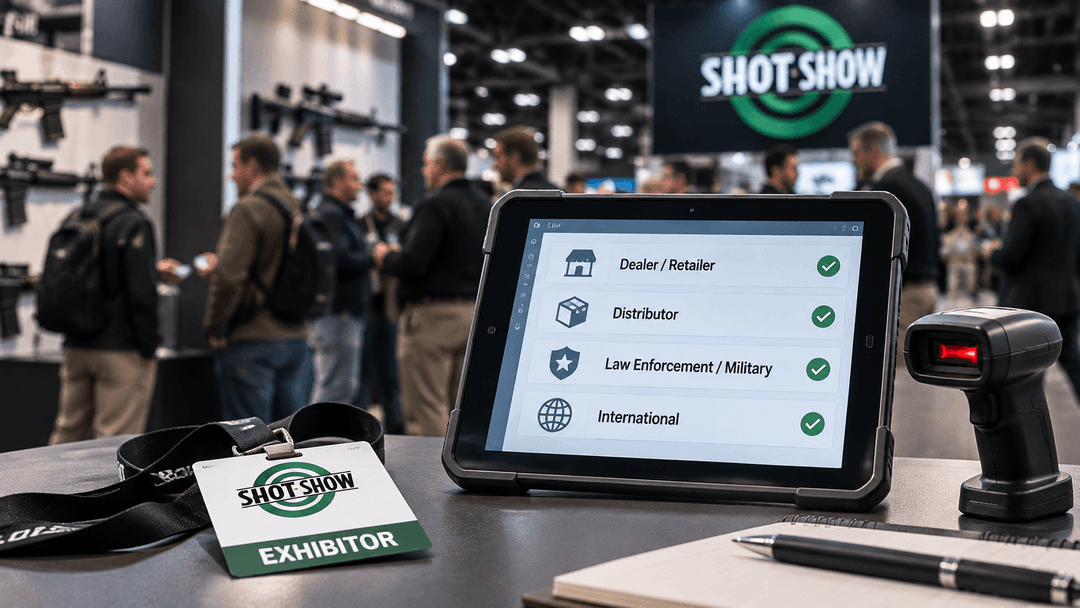
What a firearms manufacturer brings home from SHOT Show is not a clean list. It is a mix of badge scans from the official lead retrieval app, business cards collected at the booth, notes logged on a phone, and conversations that never made it into any system. Trade show lead capture is the moment all of that either becomes a pipeline or becomes a problem. The decisions that determine which outcome you get are not made on the show floor. They are made before you arrive in Las Vegas.
This guide is for the VP of sales or channel sales leader planning their booth for SHOT Show 2027. It covers what to capture, how each lead type reaches the right rep, and where the federal firearms license check sits before the first order moves.
Trade Show Lead Capture at SHOT Show Starts Before Las Vegas
SHOT Show 2027 runs January 19 to 22, 2027, at the Venetian Expo and Caesars Forum in Las Vegas. It is an event of NSSF, the National Shooting Sports Foundation, the firearm industry trade association. Admission is open to businesses and government entities. Show management verifies that each attendee is the direct employee or owner of a qualified company. The attendee floor includes retailers, distributors, ranges, law enforcement and military buyers, and international contacts.
That last point matters for trade show lead capture strategy. Every person who walks your booth is there in a professional capacity, verified before they received a badge. You are not sorting consumers from buyers. You are sorting buyers by sales motion, and those motions have different follow-up paths, different compliance requirements, and different people on your team who should own them.
What exhibitors get from the official lead retrieval system
SHOT Show and Maritz do not provide an attendee list or contact information in advance. To retrieve any information on attendees from badge scans at the show, an exhibitor must purchase a Maritz lead retrieval option. The options include the SWAP mobile app, which runs on the exhibitor's own iOS or Android device. For exhibitors who want to use their own scanning application, the Developer's Kit allows access via API key, though the official materials do not specify the export format or fields returned.
What this means in practice: the official scan gives you a contact record from the badge. It does not give you the sales motion, the territory assignment, the FFL number, the SOT status, the buying group affiliation, or the agreed next step. Those are fields your booth staff must add. And they cannot add them if the system is not set up before the show.
REACH, the show's attendee email blast service, does not provide a list or contact information. It is a blind send. It supplements the booth, but it does not replace it and it does not build a CRM record.
The practical conclusion is straightforward. Because the show's lead retrieval captures the scan and your team adds the context, the structure for capturing and routing that context has to be ready before January 19.
Who Walks Up to a Firearms Manufacturer's Booth
A firearms manufacturer runs three sales motions at once: military and law enforcement, international with its added export-licensing phase, and a commercial dealer base run on call cadence. Each of those motions shows up at the booth, and each one needs something different from the moment the conversation ends.
Commercial dealers, ranges, and retailers
A dealer or range owner at the booth is a commercial lead. The immediate questions are whether they are an existing account or a new prospect, which product lines they are interested in, and whether they buy direct or through a distributor. If they buy through a distributor, the routing question is not just which rep owns them, but whether the distributor or a manufacturer rep carries the relationship. For existing accounts, the conversation is different: you already have a record, and the visit should update it, not duplicate it.
The compliance condition for this lead type is the federal firearms license. The FFL number needs to be collected or confirmed at the booth so the check can happen before the first order.
If NFA items came up in the conversation, SOT status matters too. SOT status is tracked alongside the FFL, so you know which dealers are cleared for NFA items like suppressors and short-barrel rifles before you quote. That is a separate field to collect or confirm.
Distributors and buying group members
A distributor contact is a channel lead, not a direct dealer lead. The routing logic is different: the distributor may cover a territory, and the relationship sits above the individual dealer account. A buying group member dealer adds another layer. Buying groups sit between you and your dealers and change how pricing, programs, and purchasing get decided. A lead from a buying group member dealer is a three-way relationship between you, the group, and the member. The booth visit should note the group affiliation so the record is built correctly from the start.
Law enforcement and military buyers
A law enforcement or military contact at the booth is a government buyer. The procurement path, the approval chain, and the timeline are all different from the commercial dealer base. A single follow-up cadence does not work across both. This lead goes into a separate pipeline with its own record layout and dashboard. The next step agreed at the booth, whether that is a product demonstration, a specification sheet, or a formal quote request, is the field that drives the follow-up, not a generic "contacted at SHOT Show" tag.
International contacts
An international contact met at SHOT Show has an added step ahead of them before any order can move: the export-licensing phase. That step is not a follow-up task. It is a precondition, and it changes the timeline and the motion entirely. Routing this lead to the same rep and the same cadence as a domestic dealer creates a workflow problem that will surface when the order stalls. The booth record needs to flag the contact as international and assign them to the motion that carries export-licensing in its process.
What to Capture at the Booth So Every Lead Can Be Worked
The badge scan or business card is the starting point, not the record. What your booth staff adds is what determines whether that contact can be worked after the show. Every field below is tied to a specific downstream step. If the field is missing, that step either stalls or gets done wrong.
The fields that drive routing and follow-up
Contact and company. Name, title, company, and the company's role in the channel: dealer, distributor, buying group, range, law enforcement agency, military unit, or international buyer. This is the field that assigns the sales motion.
Existing account or new prospect. If the company is already in the system, the booth visit is an update, not a new record. Booth staff need to be able to pull the existing record on the spot and log the conversation against it. Duplicating an existing account creates a data problem that costs time after the show.
Sales motion. Commercial dealer base, military and law enforcement, or international. This single field controls which pipeline the lead enters, which rep receives the assignment, and which follow-up cadence runs.
FFL number. For any commercial dealer or range, the FFL number should be collected or confirmed at the booth. The license check happens later, but the number has to be in the record for the check to run. If the dealer does not have it on hand, note that it is outstanding so the rep knows to collect it before quoting.
SOT status. If the conversation covered NFA items, suppressors, short-barrel rifles, or other restricted products, note whether the dealer carries SOT designation. This field sits alongside the FFL and determines which products can be quoted before the license check is complete.
Buying group affiliation. If the dealer is a buying group member, record the group name. This is not a note field. It is a routing condition that affects how pricing, programs, and purchasing decisions flow.
Multi-location flag. If the contact represents a chain or a dealer group with multiple locations, flag it. Large, multi-location channel partners need to be navigated through a hierarchy, with activity and revenue rolled up from every child location for a single view of the relationship. A flat record misses that structure entirely.
Product line of interest. Which products came up in the conversation. This field feeds the rep's preparation for the follow-up call and connects the contact to the right product pipeline.
Agreed next step. The field that decides the follow-up. What did you agree to do? A call, a product demo, a quote, a specification sheet, a sample? If this field is blank, the follow-up is a cold call. If it is filled in, the rep has a reason to call and the contact is expecting it.
How booth staff capture it
Your reps work from a phone or tablet at the booth, with full record access and the ability to log the visit on the spot, online or off. That means a rep can pull an existing dealer account, add the booth conversation as an activity, and update the FFL field without waiting for a Wi-Fi connection or a post-show data entry session. New contacts get a record created on the spot with all of the above fields filled in before the next visitor arrives.
See how TCP's CRM for firearms manufacturers works
Routing Each Lead to the Right Rep Before the Show Ends
The show floor is four days. A contact scanned on the morning of January 19 should not still be sitting in an unassigned queue on January 22. Routing is not a post-show task. It is something your territory structure handles automatically, if the structure is set up before you arrive.
Territory structure by channel, geography, product line, and market
Territories for a firearms manufacturer are not just geographic. They are defined by channel, geography, product line, and market, and each of the three sales motions gets its own pipeline, record layout, and dashboard. Territories are assigned to direct reps, distributors, or manufacturer reps, and they can be realigned quickly as coverage changes.
When a booth record is created with the sales motion field filled in, the territory assignment follows from the structure already in place. The lead does not wait for a manager to read a spreadsheet and decide who owns it.
Matching the scan to an existing account
A new scan that matches an existing dealer account is not a new lead. It is a booth visit logged against a relationship you already own. The hierarchy matters here: if the contact represents a child location of a larger dealer group, the record should be linked to the parent account so that activity and revenue roll up correctly. A standalone record for a child location breaks the visibility you need to manage the relationship at the group level.
Buying group member dealers
A dealer who is a buying group member is a three-way relationship between you, the group, and the member dealer. Routing that lead to a direct rep without modeling the group layer means the rep is working without the context that drives pricing and program decisions. The group affiliation captured at the booth is what makes the routing correct. The mechanics of buying group management are a topic for a separate guide; here, the point is that the field has to be in the record before the routing runs.
From the booth to the pipeline
TCP Badger turns a booth into a pipeline. Scan a badge or business card and the lead lands in SugarAI on the spot, routed to the right rep, tagged to the show, with follow-up already in motion. You leave with every contact in the system and a clear read on which shows pay off. Whatever the official lead retrieval captures, the goal at the booth is the same: every contact ends the day as one CRM record, with a rep and a next step.
The License Check Belongs Before the First Order
A productive booth conversation is not a cleared dealer. A business card with an FFL number written on the back is not a verified license. The license check is a separate step, and it belongs between the booth visit and the first order, not after it.
FFL and SOT status in the CRM
Federal firearms license numbers and status are kept current against published ATF data, with clear flags when a license is missing, expired, or does not match. SOT status is tracked right alongside the FFL, so you always know which dealers are cleared for NFA items like suppressors and short-barrel rifles before you quote. These are not notes fields or spreadsheet columns. They are structured fields in the dealer record, maintained against a current data source, with a status that the rep can see before they open a quote.
The verification step
ATF's FFL eZ Check is a license-verification tool that lets an FFL or other user confirm that a license is valid. The user enters the first three and last five digits of the license being checked. Note that Type 03 collector licenses and Type 06 ammunition manufacturer licenses return an error online; ATF provides a phone number for verbal verification of those license types.
The system can warn or hold when an order is heading to a dealer whose license is not verified. That means compliance lives inside the sale instead of after it. The rep does not have to remember to check. The workflow enforces it.
What this means for SHOT Show leads
Every commercial dealer lead from the booth is a potential order. But the order cannot move until the license is verified. If the FFL number was collected at the booth and entered into the dealer record, the verification step can run as soon as the rep is ready to quote. If the number was not collected, the rep's first post-show call is not a follow-up. It is a data collection call, and the order is delayed by however long that takes.
For dealers whose FFL status is already on file from a prior relationship, the booth visit is an update. The rep confirms the license is current and the record reflects the visit. For new dealers met at the show, the FFL field is empty until the number is collected and checked.
The bound book and ATF acquisition and disposition records are a separate compliance topic. For the recordkeeping obligations that follow an actual transfer, see our guide to FFL bound book management for manufacturers.
The Week After SHOT Show: Follow-Up Reps Can Actually Run
The show ends January 22. The follow-up window opens the same day. What determines whether reps hit the ground running or start by sorting a spreadsheet is the state of the CRM before they left Las Vegas.
Show-tagged leads feeding the call list
Every contact captured at the booth is tagged to the show. That tag is how the rep filters their list to the SHOT Show contacts and sees them ranked by account type, priority, recent purchasing changes, and time since last contact. SugarAI builds each rep a proposed call list automatically, so reps always know who to call next, and why. The rep does not open a spreadsheet and decide. The system surfaces the order.
For existing accounts, the dealer trend is already in the record: trending up, down, or steady from their own buying history. A dealer who was trending down before the show and stopped by the booth is a different call than a dealer who is trending up and asked about new product lines. The rep goes into both calls with context, not just a name and a phone number.
Separate cadences for the three motions
The commercial dealer call list runs on cadence: account type, purchase history, time since last contact, agreed next step from the booth. That cadence does not apply to law enforcement and military leads, where the agreed next step from the booth drives the follow-up entirely. A government buyer who asked for a specification sheet gets a different first call than a dealer who asked about pricing.
International leads from the show sit in their own pipeline, with the export-licensing phase as the first condition in the workflow. The rep assigned to that motion knows the preconditions before they make the call.
Measuring what the show returned
The show tag on every contact is also the measurement layer. Which leads converted, which product lines generated booth conversations, which territories produced new accounts. That measurement work is covered in detail in our guide to trade show ROI for manufacturers. The point here is that the data exists to measure it, because the records were built correctly at the booth.
TCP is an Epicor Platinum Partner and SugarAI Elite Partner with over 600 implementations across the Americas, with offices in the US, Mexico, Argentina, and Colombia.
If your SHOT Show leads still end up in a spreadsheet, TCP can set up SugarAI so every contact from the booth reaches the right rep, with the license check already in place.
Frequently Asked Questions
The official SHOT Show materials require exhibitors to purchase a Maritz lead retrieval option to access any attendee information. Options include the SWAP app and the Developer's Kit, which allows an exhibitor to use their own scanning application via API key. The official materials do not state an export method or format for the data collected. Exhibitors should confirm the export process directly with Maritz before the show to ensure the collected contacts can be moved into their CRM.
Booth staff should capture the business card the same way they capture a badge scan: log the contact into the CRM on the spot, add the sales motion, the agreed next step, and any compliance fields such as the FFL number or SOT status that came up in the conversation. Badger scans the business card and the lead lands in SugarAI on the spot, routed to the right rep and tagged to the show. The contact is in the system and assigned before the next visitor arrives at the booth.
The answer depends on how your territory structure assigns that account. A dealer who buys through a distributor may be owned by the distributor rep, a manufacturer rep, or a direct rep depending on the territory and channel model. The hierarchy in the CRM should reflect that structure. If the dealer contact is a child location of a larger group, the record links to the parent account so activity and revenue roll up correctly. The booth visit should update the existing record, not create a duplicate.
When a buying group member visits the booth, ask which group they belong to, whether the purchase under discussion runs through a group program or the dealer's own account, and whether they also buy through a distributor. Each answer changes the record. The group name determines the three-way relationship between you, the group, and the member dealer. Whether the purchase runs through a group program changes how pricing and programs apply. A distributor layer adds a second routing condition. Record all three fields at the booth so the assigned rep has the full picture before the first call.
No, and what you capture at the booth is different too. For a law enforcement or military contact, record the agency or unit, whether the person holds a purchasing role or is an end user, and the specific next step they requested. A purchasing role changes who follows up: a buyer with procurement authority moves to the rep who owns government accounts. An end user without purchasing authority is a different kind of contact, and the next step is reaching the person who does. These fields belong in the record before the conversation ends.
The export-licensing phase is a precondition for any order, so the record needs to be built to support it from the start. At the booth, capture the contact's country, the product lines they asked about, and the next step they requested. Product line of interest tells the assigned rep what the conversation was about before they make the first call. The requested next step, whether a specification sheet or a follow-up meeting, gives the rep a reason to call. Without those three fields, the rep assigned to the export-licensing motion is starting from scratch.
That is a policy decision for the manufacturer. The CRM can be configured to warn or hold when an order is heading to a dealer whose license is not verified, so the manufacturer can set the threshold that fits their compliance posture. ATF's FFL eZ Check lets an FFL or other user verify that a license is valid by entering the first three and last five digits of the license number. The verification step can run as soon as the FFL number is in the dealer record, which is why collecting it at the booth matters.
Yes. If the conversation covered NFA items, suppressors, short-barrel rifles, or other restricted products, SOT status should be collected or confirmed at the booth alongside the FFL number. SOT designation indicates that a dealer is cleared for NFA items. Without that field in the record, the rep cannot confirm which products can be quoted before the license check is complete. SOT status is tracked in the CRM alongside the FFL.
No. REACH, the SHOT Show attendee email blast service, is a blind send. It does not provide a contact list or contact information to the exhibitor. It supplements the booth by reaching attendees who did not visit, but it does not create a CRM record, does not capture the sales motion or compliance fields, and does not route a lead to a rep. Booth capture is what produces a structured, routable record tied to a specific conversation.
Before the show, set up the three sales motion pipelines with their own record layouts and dashboards: commercial dealer base, military and law enforcement, and international. Define territories by channel, geography, product line, and market, and assign them to direct reps, distributors, or manufacturer reps. Add FFL and SOT fields to the dealer record layout. Create a show tag for SHOT Show 2027. Configure the call list ranking by account type, priority, recent purchasing changes, and time since last contact. Confirm that booth staff can access and update records from a phone or tablet, online or off.


